Set Appliance State:
Mains Power Off
Ensure there is no demand for either CH or DHW
Preheat OFF (press left button to adjust)
Selector switch to heating and hot water position
Preheat OFF (press left button to adjust)
Selector switch to heating and hot water position
| WARNING! - Mains voltage is expected during test follow TOPs P4 live testing procedure |
Observation:
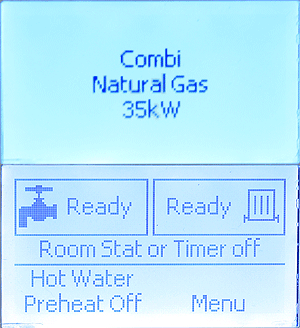
When power is switched on the boiler will run a self-check which should show the boiler type, gas setup and output for appliance you are working on, as in the image above. If the display does not progress from the initial self check CLICK HERE.
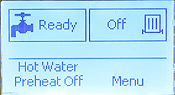
At the same time the fan will start to run and then the display should show the main menu with "ready" next to the tap and radiator symbols indicating the boiler has completed its self check and has entered stand-by, awaiting a request for heat.
Note:
Fan will continue to run after self check is complete (up to 4 minutes).
At the same time the fan will start to run and then the display should show the main menu with "ready" next to the tap and radiator symbols indicating the boiler has completed its self check and has entered stand-by, awaiting a request for heat.
Note:
Fan will continue to run after self check is complete (up to 4 minutes).