Set Appliance State:
| WARNING! - Mains voltage is expected during test follow TOPs P4 live testing procedure |
Observation:
Which demand is showing on the boiler display?
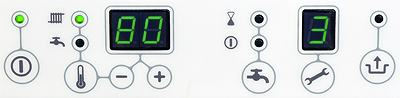
1. CH DEMAND SHOWN
(radiator LED illuminated)
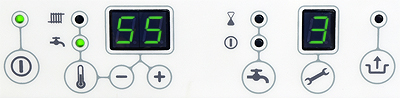
2. DHW DEMAND SHOWN
(tap LED illuminated, neither preheat LED lit)
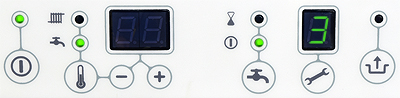
3. PREHEAT DEMAND SHOWN (see below)
If preheat demand is shown press the tap
button until the LEDs above it turn off.
Boiler should now enter standby.
PREHEAT WILL NOT TURN OFF
PREHEAT DISABLED - BOILER IN STANDBY
1. CH DEMAND SHOWN
(radiator LED illuminated)
2. DHW DEMAND SHOWN
(tap LED illuminated, neither preheat LED lit)
3. PREHEAT DEMAND SHOWN (see below)
If preheat demand is shown press the tap
button until the LEDs above it turn off.
Boiler should now enter standby.
PREHEAT WILL NOT TURN OFF
PREHEAT DISABLED - BOILER IN STANDBY