Set Appliance State:
| Isolate Mains Power to appliance as per TOPs P4 |
CH Demand
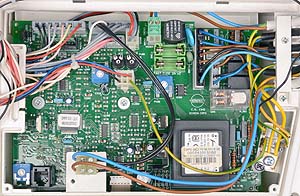
Gain access to PCB (use Insulation Mat as required)
CH temperature control set to MAX
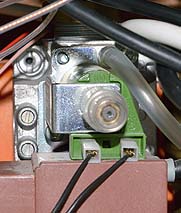
Attach pressure gauge to gas valve pressure outlet test point
CH temperature control set to MAX
Attach pressure gauge to gas valve pressure outlet test point
| WARNING! - Mains voltage is expected during test follow TOPs P4 live testing procedure |
Observation:
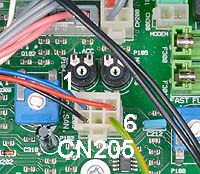
Insert a small cross-head screwdriver in to the right hand potentiometer (MAX. heating power).
Turn the potentiometer clockwise to increase the pressure
or anticlockwise to reduce the pressure.
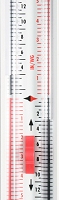
Adjust the burner pressure to the required heating value (displayed on the pressure gauge), as indicated in the
Table opposite.
Note:
When pressure gauge is removed the pressure test point should be tightened and checked for gas tightness.
CH power setting adjusted correctly CLICK HERE
CH power setting, unable to set correctly CLICK HERE
Turn the potentiometer clockwise to increase the pressure
or anticlockwise to reduce the pressure.
Adjust the burner pressure to the required heating value (displayed on the pressure gauge), as indicated in the
Table opposite.
Note:
When pressure gauge is removed the pressure test point should be tightened and checked for gas tightness.
CH power setting adjusted correctly CLICK HERE
CH power setting, unable to set correctly CLICK HERE