CHECKING/ADJUSTING DIAGNOSTIC CODE D.002
None
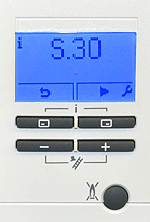

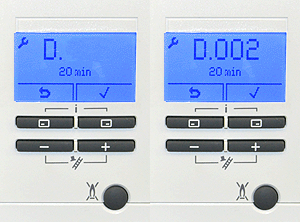

1. Press the top 2 buttons simultaneously then release, the current status code for the appliance will be shown.
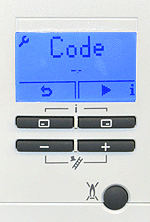
2. Press ►
(top right button) once to access the installer level, code -- will appear in the display.
(top right button) once to access the installer level, code -- will appear in the display.
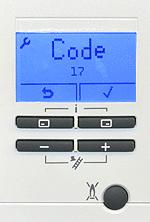
3. Set the value to 17 by using the + or - buttons, then Press ✓ the top right button to confirm.
Press ✓ to confirm settings
Press twice to store the setting and revert the display back to standby mode.
Press twice to store the setting and revert the display back to standby mode.
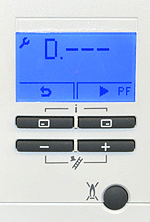
4. D--- will now be displayed, navigate to D.002 by using the + or - buttons.
5. Once selected D.002 will flash, the value set will be shown underneath the code. To change the value Press ✓ (top right button)
6. The value will now flash. To change the value press the + or - buttons until the desired figure is reached, next Press ✓ (top right button) to confirm the value, finally Press top left button (return arrow) twice to store the setting and return the display back to standby mode.
Diagnostic mode