Set Appliance State:
User Control to Off Position
Set Multimeter to DC Volts 
Isolate Mains Power to appliance as per TOPs P4
Disconnect fan connector at fan and make safe
Ensure that DHW is calling for heat
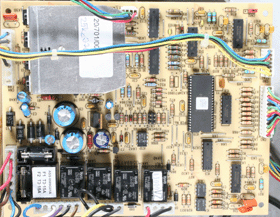
Gain Access to PCB
Disconnect fan connector at fan and make safe
Ensure that DHW is calling for heat
Gain Access to PCB
| WARNING! - Mains voltage is expected during test follow TOPs P4 live testing procedure |
Measurement:
User control switch to ON position.
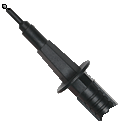
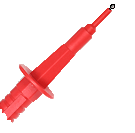
Measure voltage across terminal 3 (black wire) and terminal 7 (blue wire) at connector marked CN4 on the control PCB.
Expected voltage between 17 and 24 volts DC.
Note:
Initially there may be approximately 32 volts DC present but this should drop when fan starts.
Reconnect connector after test
Measure voltage across terminal 3 (black wire) and terminal 7 (blue wire) at connector marked CN4 on the control PCB.
Expected voltage between 17 and 24 volts DC.
Note:
Initially there may be approximately 32 volts DC present but this should drop when fan starts.
Reconnect connector after test




Isolate as per TOPs P4
and refit as necessary