Set Appliance State:
| Isolate Mains Power to appliance as per TOPs P4 |
Set Multimeter to Resistance 
Hinge down the PCB housing
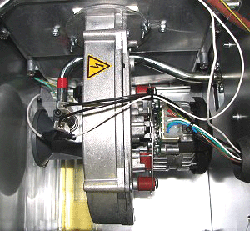
Remove the fan harness from the fan
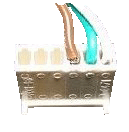
Remove the 6 way connector from the lower
end of the PCB (brown, green and white wires)
Remove the 6 way connector from the lower
end of the PCB (brown, green and white wires)
Observation:
Check the continuity and condition of the brown, green and white wires from the fan plug to the 6 way connector at the PCB.
Expect continuity / zero resistance on each of the wires in the fan harness.
Expect continuity / zero resistance on each of the wires in the fan harness.








Isolate as per TOPs P4
and refit as necessary