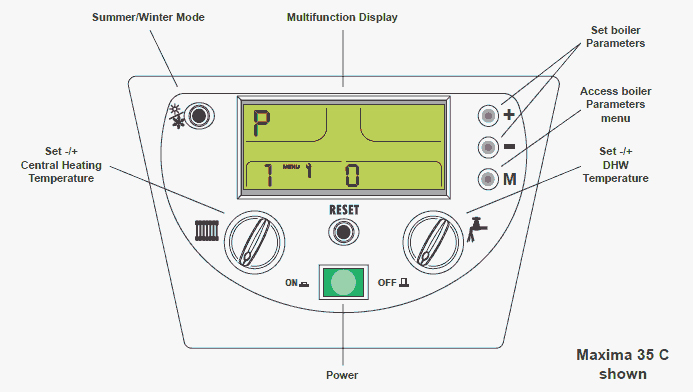
Set Appliance State:
| WARNING! - Mains voltage is expected during test follow TOPs P4 live testing procedure |
Observation:
together for 3 seconds (until display changes).
together for 3 seconds (until display changes).
Check parameter 7 (Ignition level %). By default it is set to 60 but adjusting ignition level to 40 can help prevent explosive ignition.
Adjust value to 40 if it is set to 60 then apply a demand and see if appliance now lights smoothly.
Note:
Parameter mode cannot be accessed until display has completed initialisation (approx. 10 seconds after power on).