Set Appliance State:
CH Demand
DHW Demand
| WARNING! - Mains voltage is expected during test follow TOPs P4 live testing procedure |
Observation:
Test 1:
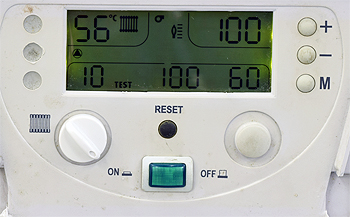
Activate service mode by holding + and - keys until display changes.
Turn CH temperature control knob to minimum, the number 100 on
top right of display should change to 35 (minimum output)
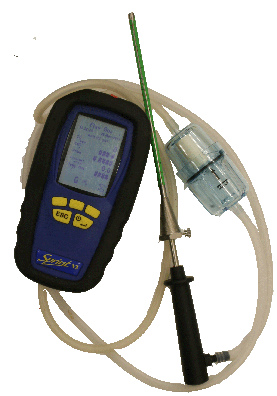
Carry out a flue gas analysis check on minimum output mode.
Test 2:
Turn CH temperature control knob to maximum, the number 35 on
top right of display should change to 100 (maximum output)
Carry out a flue gas analysis check on maximum output mode.
The readings should be as detailed in the manufacturers instructions.
Are the flue gas analysis readings as expected?
Note:
To exit service mode hold the + and - keys until display reverts to normal.
Activate service mode by holding + and - keys until display changes.
Turn CH temperature control knob to minimum, the number 100 on
top right of display should change to 35 (minimum output)
Carry out a flue gas analysis check on minimum output mode.
Test 2:
Turn CH temperature control knob to maximum, the number 35 on
top right of display should change to 100 (maximum output)
Carry out a flue gas analysis check on maximum output mode.
The readings should be as detailed in the manufacturers instructions.
Are the flue gas analysis readings as expected?
Note:
To exit service mode hold the + and - keys until display reverts to normal.