TEST MODE ACTIVATION
None

STEP 1.
Press the ON/OFF button to switch OFF the boiler
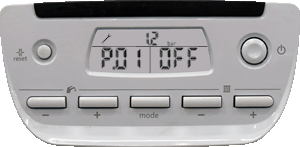
While keeping the button "MODE" pressed, press the ON/OFF button, keep the button "MODE" pressed for more than 5 seconds. The screen displays the first test mode "P01" and "OFF"
STEP 2.
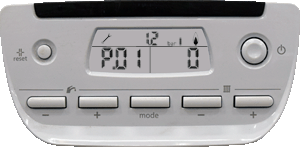
Press button "MODE" to display the burner forcing setting. The screen displays "P.01" and "0".
STEP 3.
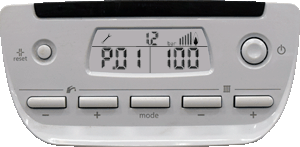
Press on button + or - under the symbol to modify the value of the setting from "0" to "100" (100%).
TO EXIT TEST MODE
Press reset button or the ON/OFF button to
exit the test modes.
exit the test modes.
Note.
The test mode will automatically stop after 15 minutes.
The test mode will automatically stop after 15 minutes.