Set Appliance State:
Mains Power Off
DHW Demand
| WARNING! - Mains voltage is expected during test follow TOPs P4 live testing procedure |
Observation:
Allow boiler to run for DHW demand.
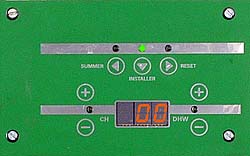
Enter installer mode option 1 (flame current).
Remove DHW demand whilst observing flame current in display, after approximately
2 seconds from demand ending the display should read 02 or less.
Note.
1. For information on how to enter installer mode CLICK HERE.
2. Once in installer mode the information will be displayed for approximately 1 minute
(returns to normal display) re-enter mode if required.
3. It may take several attempts to confirm test results.
Enter installer mode option 1 (flame current).
Remove DHW demand whilst observing flame current in display, after approximately
2 seconds from demand ending the display should read 02 or less.
Note.
1. For information on how to enter installer mode CLICK HERE.
2. Once in installer mode the information will be displayed for approximately 1 minute
(returns to normal display) re-enter mode if required.
3. It may take several attempts to confirm test results.
Isolate as per TOPs P4
and refit as necessary