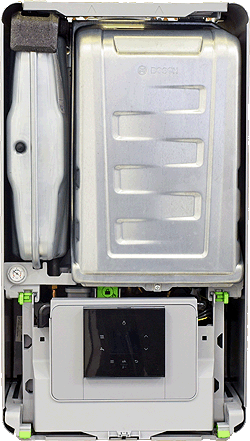
Removing Outer Case: 1. Remove lower cover by pushing two clips (A) in and pulling down. 2. Remove screw (B) from bottom of case. 3. Push in green clips (C) from each side. 4. Pull bottom of case forwards and upwards.
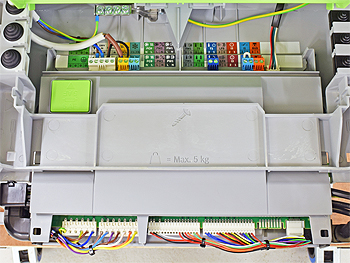
PCB Access: 1. Push in clips either side and lower into service position. 2. Push in clips at back of PCB to access mains in connections. 3. Pull cover back at front of PCB to access component connections.
Removing Combustion Case: 1. Push upper cover up and away. 2. Unscrew 1 screw at bottom of case. 3. Lift and remove case.