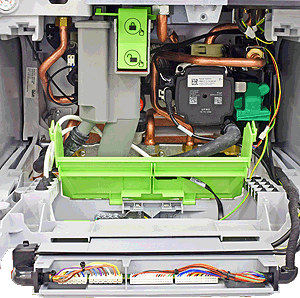
Set Appliance State:
Mains Power Off
Ensure boiler is set to ECO mode
Ensure no demand
Ensure no demand
| WARNING! - Mains voltage is expected during test follow TOPs P4 live testing procedure |
Observation:
Check the pump overrun setting for central heating.
This can be done by entering the service/installer mode by pressing the tap and radiator buttons simultaneously for 3 seconds then selecting "settings" > "pump" > "pump overrun" this will display the pump overrun time set (default is 2 minutes).
Test 1:
Is the pump overrun time set appropriate for the system?
Test 2:
Apply a central heating demand and allow boiler to run until system starts to warm, then remove CH demand and monitor the pump overrun time.
Does the pump overrun for the time stated in the parameters?
Test 3:
Run the tap and allow the boiler to fire, then turn the tap back off.
Does the pump overrun for approximately 1 minute and 30 seconds.
This can be done by entering the service/installer mode by pressing the tap and radiator buttons simultaneously for 3 seconds then selecting "settings" > "pump" > "pump overrun" this will display the pump overrun time set (default is 2 minutes).
Test 1:
Is the pump overrun time set appropriate for the system?
Test 2:
Apply a central heating demand and allow boiler to run until system starts to warm, then remove CH demand and monitor the pump overrun time.
Does the pump overrun for the time stated in the parameters?
Test 3:
Run the tap and allow the boiler to fire, then turn the tap back off.
Does the pump overrun for approximately 1 minute and 30 seconds.