| WARNING! - Mains voltage is expected during test follow TOPs P4 live testing procedure |
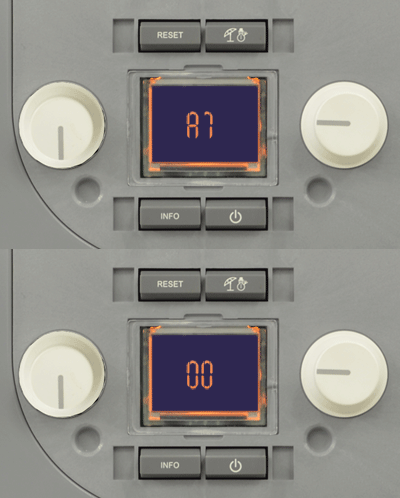
To activate the parameter menus the DHW selector must be set to 6 oclock and the CH selector set to 9 oclock positions (see image), then press the 'RESET' and 'Summer/Winter' ( ) buttons simultaneously for 8 seconds. The screen will now display the parameter group and parameter number followed by the parameter value. Once the programming mode has been accessed, scroll through the five groups (G, P, t, A, F) by pressing the 'Summer/ Winter' button for 1 second.
Once the parameter group is selected you can rotate the DHW selector to select the parameter that needs to be adjusted. To adjust the selected parameter value, rotate the CH selector until the required value is obtained, this will be indicated by a fast flashing of the new value. To confirm the new value press the (reset) until 88 is shown on the screen for 2 seconds followed by the parameter number and new setting flashing alternately on the screen. Once the new parameter values have been entered press the 'RESET' and 'Summer/Winter' buttons simultaneously for 4 seconds to exit the parameter menu or wait for 15 minutes.
For parameter values refer to Adapt click HERE
Note.
Menu G is for the air-gas control settings with two sub-menus (n and S), relating to fan and gas valve control settings. Every time these parameters are altered, the full calibration procedure must be carried out, refer to Adapt for guidance.