Set Appliance State:
| Isolate Mains Power to appliance as per TOPs P4 |
Case Removal
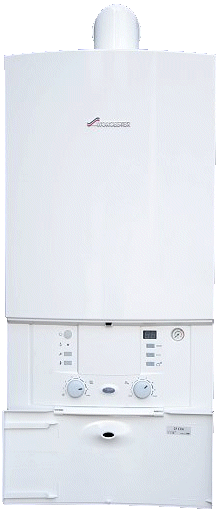
Loosen the bottom 2 screws and undo the catch at the top of the boiler and slide case off forwards.
Facia Panel
Ensure electricity supply to appliance is switched off. Remove the screw and lower the panel downwards. Take care not to damage the pressure gauge capillary tube or electrical connections.
This diagnostic model requires the appliance to be set to ECO mode, which disables the boilers pre heat function
(ECO button illuminated signifies the appliance is in ECO mode)
This Diagnostic model requires HOLIDAY mode to be switched off, this allows the boiler to operate in both CH and DHW modes.
(HOLIDAY button (small suitcase) illuminated when holiday mode is on)
Note:
To turn ECO or HOLIDAY modes On/Off the button must be
depressed for 5 seconds and then released.
Loosen the bottom 2 screws and undo the catch at the top of the boiler and slide case off forwards.
Facia Panel
Ensure electricity supply to appliance is switched off. Remove the screw and lower the panel downwards. Take care not to damage the pressure gauge capillary tube or electrical connections.
This diagnostic model requires the appliance to be set to ECO mode, which disables the boilers pre heat function
(ECO button illuminated signifies the appliance is in ECO mode)
This Diagnostic model requires HOLIDAY mode to be switched off, this allows the boiler to operate in both CH and DHW modes.
(HOLIDAY button (small suitcase) illuminated when holiday mode is on)
Note:
To turn ECO or HOLIDAY modes On/Off the button must be
depressed for 5 seconds and then released.
.gif)




Isolate as per TOPs P4
and refit as necessary