Set Appliance State:
| Isolate Mains Power to appliance as per TOPs P4 |
Measurement:
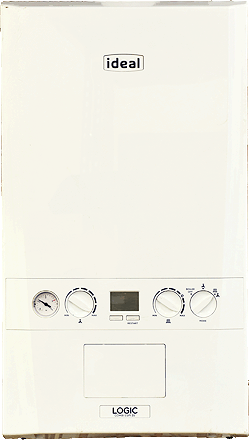
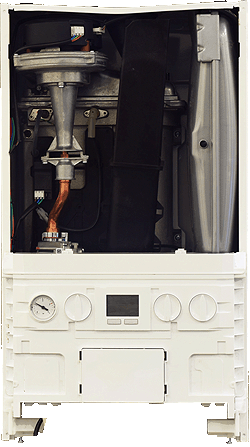
To remove the front cover from the Ideal Logic Combi:
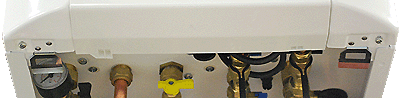
1. Locate and loosen the two screws at the bottom of the boiler.
2. Disengage the two spring clips at the lower corners of the front case.
3. Pull the front case slightly forward from the bottom and lift to unhook from the top.
NOTE:
For correct use of this diagnostic model the Pre-heat function needs to be disabled by pressing the left button so that "Hot water preheat off" is shown in the display.
This model assumes appliance is operating on natural gas. If it has been converted to LPG refer to ADAPT for gas pressures and potential differences in part numbers.
1. Locate and loosen the two screws at the bottom of the boiler.
2. Disengage the two spring clips at the lower corners of the front case.
3. Pull the front case slightly forward from the bottom and lift to unhook from the top.
NOTE:
For correct use of this diagnostic model the Pre-heat function needs to be disabled by pressing the left button so that "Hot water preheat off" is shown in the display.
This model assumes appliance is operating on natural gas. If it has been converted to LPG refer to ADAPT for gas pressures and potential differences in part numbers.