Set Appliance State:
| Isolate Mains Power to appliance as per TOPs P4 |
Disconnect the harness which runs from the display PCB to the main PCB
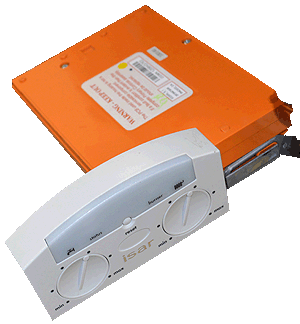
Remove the display PCB from its housing
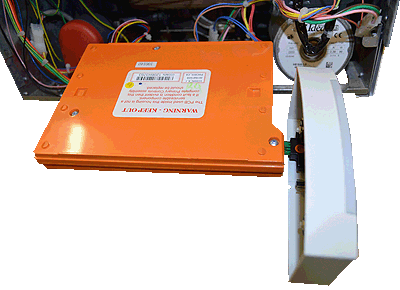
Plug the display PCB directly onto the main PCB
Remove the display PCB from its housing
Plug the display PCB directly onto the main PCB
| WARNING! - Mains voltage is expected during test follow TOPs P4 live testing procedure |
Observation:
With the display PCB plugged directly onto
the main PCB does the display illuminate ?
Note:
At this point do NOT reconnect the harness and refrain from
attaching the display PCB back into its housing.
the main PCB does the display illuminate ?
Note:
At this point do NOT reconnect the harness and refrain from
attaching the display PCB back into its housing.

Isolate as per TOPs P4
and refit as necessary