Set Appliance State:
| Isolate Mains Power to appliance as per TOPs P4 |
Set Multimeter to DC Volts 
Disconnect DHW thermistor at harness lead
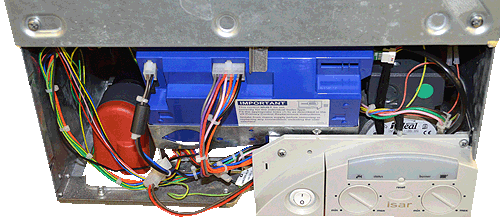
Gain access to bottom of PCB
Remove the fan connector from the PCB
Note:
Ensure PCB is located safely before turning the power back ON
Gain access to bottom of PCB
Remove the fan connector from the PCB
Note:
Ensure PCB is located safely before turning the power back ON
| WARNING! - Mains voltage is expected during test follow TOPs P4 live testing procedure |
Measurement:
Test 1 - No demand
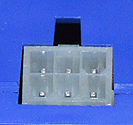
Measure the DC voltage between terminal 6 (the red wire location when plug is fitted) of the
PCB fan connector and a suitable earth.
Expect a voltage of approximately 13.5 vdc.
Test 2 - With demand
Reconnect DHW thermistor at harness lead.
Mains Power ON.
Turn ON hot tap.
Repeat the above test.
Expect the voltage to have dropped to approximately 0 vdc as
the PCB attempts to send power to the fan.
Measure the DC voltage between terminal 6 (the red wire location when plug is fitted) of the
PCB fan connector and a suitable earth.
Expect a voltage of approximately 13.5 vdc.
Test 2 - With demand
| Isolate Mains Power to appliance as per TOP's P4 |
Mains Power ON.
Turn ON hot tap.
Repeat the above test.
Expect the voltage to have dropped to approximately 0 vdc as
the PCB attempts to send power to the fan.



Isolate as per TOPs P4
and refit as necessary