Set Appliance State:
| WARNING! - Mains voltage is expected during test follow TOPs P4 live testing procedure |
Observation:
Adjustment of the boilers maximum flow
temperature is done via parameter P1.
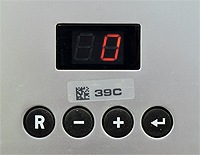
Carry out instructions below to check the max flow temp setting and adjust as necessary.
(parameters only accessible when appliance has completed self check)
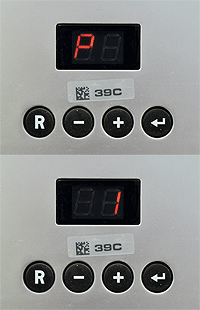
1. Hold ⮠ until display alternates between P and 1. (approx. 2 secs)
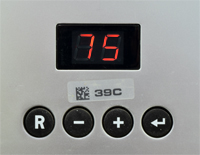
2. Press ⮠ : display now shows maximum flow temperature setting
3. Press + or - buttons to change setting (default 75) then press ⮠ to confirm change.
Did the maximum flow temperature setting need adjusting?
temperature is done via parameter P1.
Carry out instructions below to check the max flow temp setting and adjust as necessary.
(parameters only accessible when appliance has completed self check)
1. Hold ⮠ until display alternates between P and 1. (approx. 2 secs)
2. Press ⮠ : display now shows maximum flow temperature setting
3. Press + or - buttons to change setting (default 75) then press ⮠ to confirm change.
Did the maximum flow temperature setting need adjusting?