Set Appliance State:
CH Demand
| WARNING! - Mains voltage is expected during test follow TOPs P4 live testing procedure |
Observation:
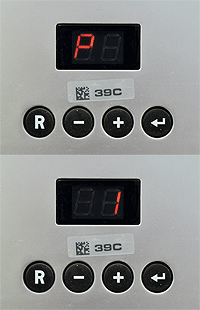
Set CH temperature to max (85°C) via P1 on the display.
(CLICK HERE FOR INSTRUCTIONS)
Allow boiler to run for at least 2 minutes.
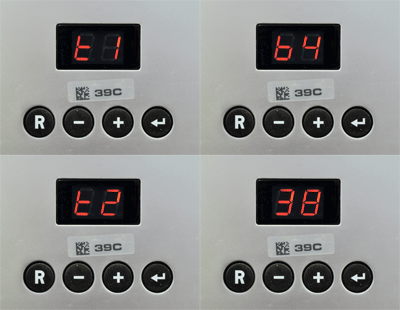
Press the + on the display to show t1 (flow temperature).
Press the + on the display again to show t2 (return temperature).
Use the + or - buttons to switch between t1 and t2.
Is the temperature differential between t1 and t2 approximately 22°C or lower?
Note:
Set P1 back to customer setting once test is complete.
(CLICK HERE FOR INSTRUCTIONS)
Allow boiler to run for at least 2 minutes.
Press the + on the display to show t1 (flow temperature).
Press the + on the display again to show t2 (return temperature).
Use the + or - buttons to switch between t1 and t2.
Is the temperature differential between t1 and t2 approximately 22°C or lower?
Note:
Set P1 back to customer setting once test is complete.