| WARNING! - Mains voltage is expected during test follow TOPs P4 live testing procedure |
PARAMETER SETTING
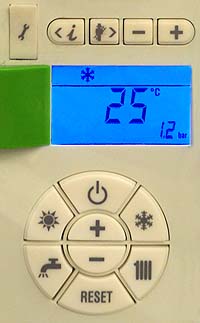





1. To access the parameters press the information and chimney sweep keys simultaneously and hold for 5 seconds (see note), parameter 01 will then be displayed.
Note.
First key press wakes up the display only.
Note.
First key press wakes up the display only.
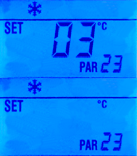
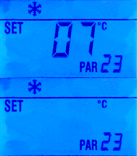
2. Scroll through the parameters using the information & chimney sweep keys until the display shows the parameter to be adjusted, example PAR 23 shown.
3. To adjust a parameter value press
the + or - keys. The value set flashes.
Note.
Refer to Adapt regarding default values of Parameters.
Display returns automatically after 60 seconds, or by pressing one of the control keys.
the + or - keys. The value set flashes.
Note.
Refer to Adapt regarding default values of Parameters.
Display returns automatically after 60 seconds, or by pressing one of the control keys.
Information and chimney sweep keys
+ or - keys
Control keys