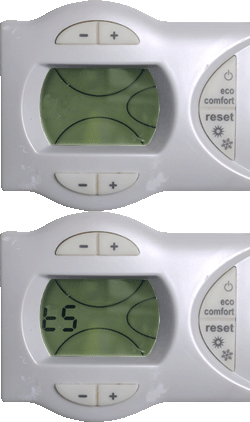
1. To access the parameters menu press and hold
the "reset" button for 10 seconds until "t5" starts to
flash in the display.
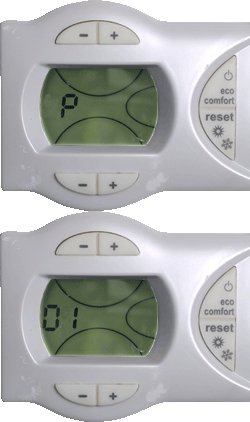
3. Using the bottom pair of + / - buttons on the facia
allows different parameters to be selected "P01 - P29"
Using the top pair of + / - buttons the value of the
flashing parameter can be changed.
At any time using the bottom pair of + / - buttons will
allow you to move to the next parameter saving the value
previously input.
the "reset" button for 10 seconds until "t5" starts to
flash in the display.
3. Using the bottom pair of + / - buttons on the facia
allows different parameters to be selected "P01 - P29"
Using the top pair of + / - buttons the value of the
flashing parameter can be changed.
At any time using the bottom pair of + / - buttons will
allow you to move to the next parameter saving the value
previously input.