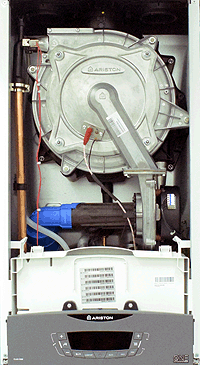
Set Appliance State:
Turn Hot Water Tap On
Allow for self check to complete
| WARNING! - Mains voltage is expected during test follow TOPs P4 live testing procedure |
Measurement:
Step 1.
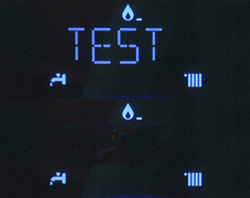
Press the RESET button until TEST and the radiator symbol appear on the display, the boiler is now in maximum heating power mode.
Step 2.
Press the + HW temp button once, TEST and the tap symbol will now appear on the display, the boiler is now in maximum DHW power mode.
Step 3.
Press the - HW button temp twice, TEST and the tap and radiator symbols will now appear on the display, the boiler is now in minimum DHW power mode.
Step 4.
Press the RESET button to exit the test function.
Press the RESET button until TEST and the radiator symbol appear on the display, the boiler is now in maximum heating power mode.
Step 2.
Press the + HW temp button once, TEST and the tap symbol will now appear on the display, the boiler is now in maximum DHW power mode.
Step 3.
Press the - HW button temp twice, TEST and the tap and radiator symbols will now appear on the display, the boiler is now in minimum DHW power mode.
Step 4.
Press the RESET button to exit the test function.