Set Appliance State:
| WARNING! - Mains voltage is expected during test follow TOPs P4 live testing procedure |
Observation:
Enter the appliance parameter setting mode, click here for a guide on how to do this.
Check parameter 2-2-8, this is the appliance version setting, this can be set incorrectly after fitting a brand new PCB.
On this appliance the parameter 2-2-8 should be set to 0, if it is set to a different value it should be changed to 0.
Once the parameter has been set correctly exit the parameter setting mode.
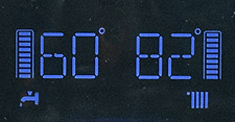
The display should now have returned to show standby mode.
Check parameter 2-2-8, this is the appliance version setting, this can be set incorrectly after fitting a brand new PCB.
On this appliance the parameter 2-2-8 should be set to 0, if it is set to a different value it should be changed to 0.
Once the parameter has been set correctly exit the parameter setting mode.
The display should now have returned to show standby mode.