Set Appliance State:
| WARNING! - Mains voltage is expected during test follow TOPs P4 live testing procedure |
Observation:
Test Function activation.
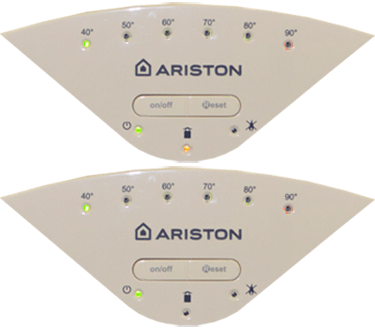
1. Press the Reset button for 5 seconds, the yellow LED flashes, the 60°C LED also illuminates to indicate the appliance is at MAX CH absolute.
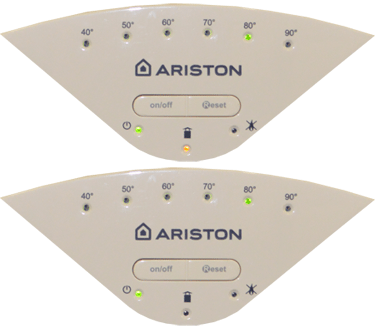
2. Rotate the CH control knob fully clockwise until the 80°C LED illuminates signify that the appliance is operating at MAX heating power (if the CH control is already fully clockwise, then rotate fully anti clockwise before rotating back to fully clockwise)
3. To set the appliance to MIN power, rotate the CH control knob anti clockwise until the 40°C LED illuminates.
4. The function is automatically deactivated after 10 minutes or by pressing the Reset button.
1. Press the Reset button for 5 seconds, the yellow LED flashes, the 60°C LED also illuminates to indicate the appliance is at MAX CH absolute.
2. Rotate the CH control knob fully clockwise until the 80°C LED illuminates signify that the appliance is operating at MAX heating power (if the CH control is already fully clockwise, then rotate fully anti clockwise before rotating back to fully clockwise)
3. To set the appliance to MIN power, rotate the CH control knob anti clockwise until the 40°C LED illuminates.
4. The function is automatically deactivated after 10 minutes or by pressing the Reset button.