Set Appliance State:
| WARNING! - Mains voltage is expected during test follow TOPs P4 live testing procedure |
Observation:
This boiler has appliance specific numbers set
by parameters dF and dU from the display.
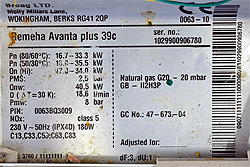
The numbers are shown on the data badge on the inside of
the boiler; boiler in picture has dF number 3 and dU number 1.
Check the dF and dU numbers using instructions below.
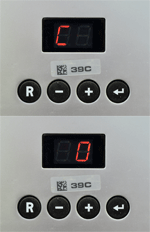
1. Press ⮠ and R buttons (press ⮠ first), display should alternate C & 0.
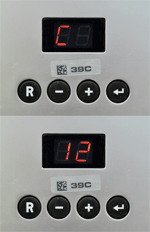
2. Press + until display alternates between C & 12.
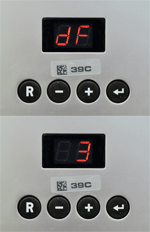
3. Press ⮠ then press + until display alternates P & dF (after P31).
4. Press ⮠ so display alternates dF and a number, check it against
boiler plate and use the + or - buttons to adjust if necessary.
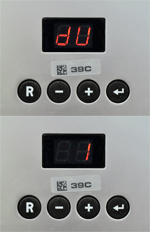
5. Press ⮠ and repeat the previous step for dU then press ⮠ to confirm changes.
Note: This will reset appliance to factory settings, readjust individual parameters as necessary.
by parameters dF and dU from the display.
The numbers are shown on the data badge on the inside of
the boiler; boiler in picture has dF number 3 and dU number 1.
Check the dF and dU numbers using instructions below.
1. Press ⮠ and R buttons (press ⮠ first), display should alternate C & 0.
2. Press + until display alternates between C & 12.
3. Press ⮠ then press + until display alternates P & dF (after P31).
4. Press ⮠ so display alternates dF and a number, check it against
boiler plate and use the + or - buttons to adjust if necessary.
5. Press ⮠ and repeat the previous step for dU then press ⮠ to confirm changes.
Note: This will reset appliance to factory settings, readjust individual parameters as necessary.