Set Appliance State:
| WARNING! - Mains voltage is expected during test follow TOPs P4 live testing procedure |
Observation:
The Remeha Avanta Plus control unit has various
parameters that can affect how the appliance operates.
Follow instructions to access the parameters:
(this cannot be accessed while appliance is carrying out self-check)
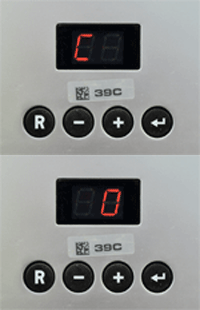
1. Press ⮠ and R buttons (press ⮠ first), display should alternate C & 0.
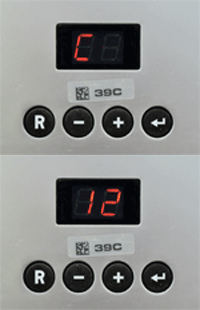
2. Press + until display alternates between C & 12.
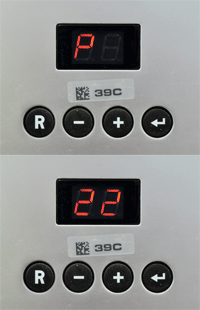
3. Press ⮠ then press + or - until display shows required parameter (e.g. P22).
(refer to table below for list of parameters and their default settings)
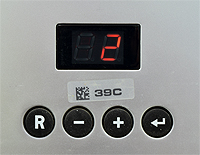
4. Press ⮠ so display shows current parameter setting then
use + or - to adjust as necessary, press ⮠ to confirm change.
Press R to go back to choose a different parameter
and press R again to exit parameter menu.
parameters that can affect how the appliance operates.
Follow instructions to access the parameters:
(this cannot be accessed while appliance is carrying out self-check)
1. Press ⮠ and R buttons (press ⮠ first), display should alternate C & 0.
2. Press + until display alternates between C & 12.
3. Press ⮠ then press + or - until display shows required parameter (e.g. P22).
(refer to table below for list of parameters and their default settings)
4. Press ⮠ so display shows current parameter setting then
use + or - to adjust as necessary, press ⮠ to confirm change.
Press R to go back to choose a different parameter
and press R again to exit parameter menu.