Set Appliance State:
| WARNING! - Mains voltage is expected during test follow TOPs P4 live testing procedure |
Observation:
By default this appliance has its preheat option enabled.
To continue fault finding the preheat must now be disabled.
Please carry out instructions below to disable preheat then click "continue".
(parameters only accessible when appliance has completed self-check)
If you do not disable preheat it may cause misdiagnosis
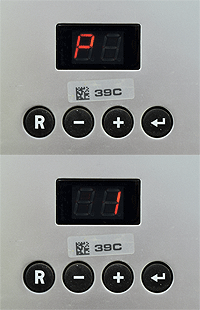
1. Hold ⮠ until display alternates between P and 1. (approx. 2 secs)
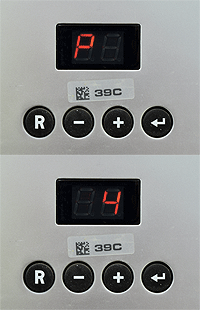
2. Press + 3 times so display alternates between P and 4.
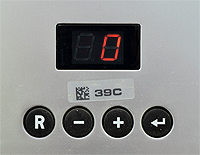
3. Press ⮠ : display now shows preheat setting.
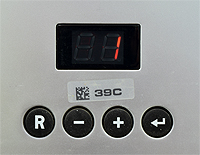
4. Press + or - buttons to change setting to 1 (eco) then press ⮠ to confirm change.
Press R to return appliance to standby.
Remember to set preheat back to customers original setting once diagnosis is complete.
To continue fault finding the preheat must now be disabled.
Please carry out instructions below to disable preheat then click "continue".
(parameters only accessible when appliance has completed self-check)
If you do not disable preheat it may cause misdiagnosis
1. Hold ⮠ until display alternates between P and 1. (approx. 2 secs)
2. Press + 3 times so display alternates between P and 4.
3. Press ⮠ : display now shows preheat setting.
4. Press + or - buttons to change setting to 1 (eco) then press ⮠ to confirm change.
Press R to return appliance to standby.
Remember to set preheat back to customers original setting once diagnosis is complete.