CALLING UP THE INSTALLER LEVEL
None
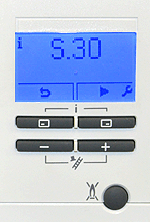
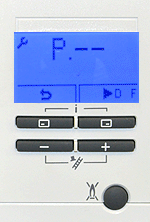

1. Press the top 2 buttons simultaneously then release, the current status code for the appliance will be shown.
2. Press ►
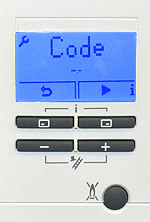
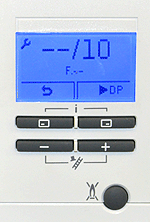
(top right button) once to access the installer level, code -- will appear in the display.
(top right button) once to access the installer level, code -- will appear in the display.
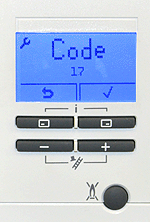
3. Set the value to 17 by using the + or - buttons then press the top right button to confirm.
Note: If the display is not illuminated, press any button to wake the display, once it is illuminated you can then follow the above process to call up the installer level.
Press ✓ to confirm settings
Press twice to store the setting and revert the display back to standby mode.
Press ✓ to confirm settings
Press twice to store the setting and revert the display back to standby mode.
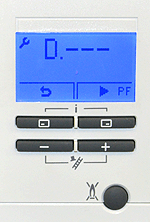
4. D--- will now be displayed, you can now navigate to whichever Diagnostic code you require by using the + or - buttons
5. Alternatively you may wish to activate the check programme mode (P) or access the fault code mode (F) this can be achieved by Pressing ► (top right button) until you reach the desired mode.
Diagnostic mode
Check programme mode
Fault code mode