Set Appliance State:
| Isolate Mains Power to appliance as per TOPs P4 |
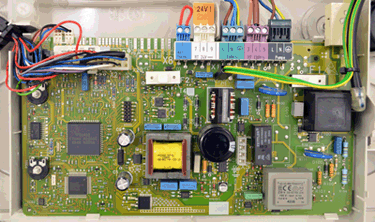
Gain access to PCB
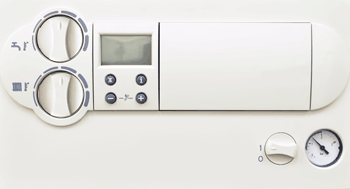
Turn the DHW thermostat so it is pointing straight upwards
Turn the DHW thermostat so it is pointing straight upwards
Observation:
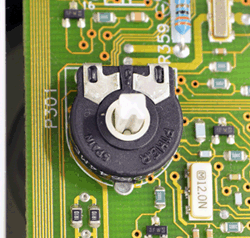
Inspect the DHW potentiometer on the PCB.
With the DHW thermostat in the vertical position the potentiometer spindle should be aligned as shown in the image with the groove in the spindle pointing towards the front of the appliance.
Turn the DHW thermostat slightly while observing the spindle to ensure it turns the potentiometer and that the shaft is not snapped.
Is the spindle aligned and rotating correctly?
With the DHW thermostat in the vertical position the potentiometer spindle should be aligned as shown in the image with the groove in the spindle pointing towards the front of the appliance.
Turn the DHW thermostat slightly while observing the spindle to ensure it turns the potentiometer and that the shaft is not snapped.
Is the spindle aligned and rotating correctly?