INSTALLATION SETTINGS ACTIVATION
None
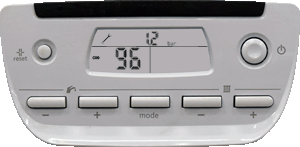


2. Press 4 times on the button - under the symbol . The screen displays "96". This is the installer's password.
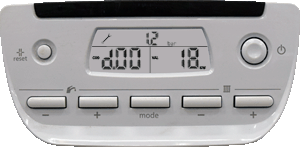
3. Press on the MODE button to validate. The screen displays the parameter "d.00" and its value "XX".
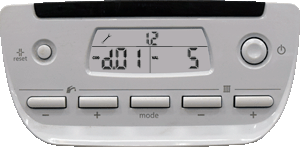
4. Press on the button + or - under the symbol to access the parameter to modify / observe.
PARAMETER ADJUSTMENT
Press on the button + or - under the symbol to modify (if required) the value of the parameter.
PARAMETER ADJUSTMENT
EXIT INSTALLATION SETTINGS
To exit the configuration menu press for more than 3 seconds on the button MODE.
ACTIVATION
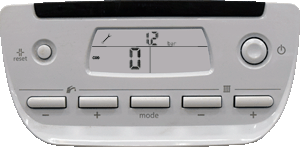
1. Press for more than 7 seconds on the button MODE to access the configuration menu. The screen displays "0".
1. Press for more than 7 seconds on the button MODE to access the configuration menu. The screen displays "0".