Set Appliance State:
| Isolate Mains Power to appliance as per TOPs P4 |
Set Multimeter to DC Volts 
Turn Hot Water Tap On
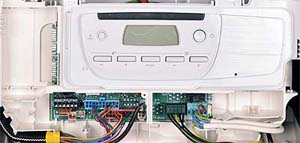
Gain access to PCB (use Insulation Mat as required)
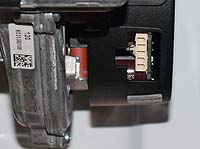
Remove electrical connector from fan assembly, leave in a safe location
Remove electrical connector from fan assembly, leave in a safe location
| WARNING! - Mains voltage is expected during test follow TOPs P4 live testing procedure |
Measurement:
Reset appliance if required (press reset button for 2 seconds and release).
When the boiler has recognised a DHW demand (tap symbol flashing) measure for
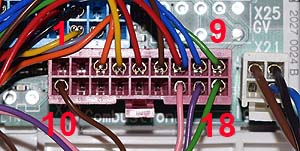
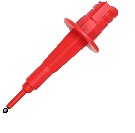
DC volts across pin 4 (Yellow lead) connector X20 and a suitable earth connection.
Expected voltage approximately 22.0 Vdc.
Note.
1. Ensure a good connection is made or misdiagnosis may occur.
2. It may take approximately 40 seconds for the boiler to recognise
a demand, this will depend upon the boiler status.
(Status code guidance CLICK HERE)
3. Appliance may enter lockout during test reset appliance as required
until test complete.
When the boiler has recognised a DHW demand (tap symbol flashing) measure for
DC volts across pin 4 (Yellow lead) connector X20 and a suitable earth connection.
Expected voltage approximately 22.0 Vdc.
Note.
1. Ensure a good connection is made or misdiagnosis may occur.
2. It may take approximately 40 seconds for the boiler to recognise
a demand, this will depend upon the boiler status.
(Status code guidance CLICK HERE)
3. Appliance may enter lockout during test reset appliance as required
until test complete.

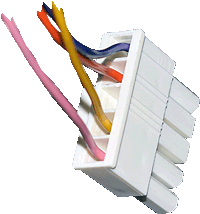


Isolate as per TOPs P4
and refit as necessary