Set Appliance State:
| WARNING! - Mains voltage is expected during test follow TOPs P4 live testing procedure |
Observation:
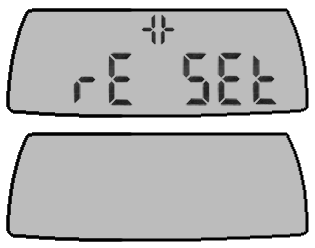
With reset displayed take the following action;
Enter fault code memory and identify the last fault code which occurred causing the reset situation.
In order to display the fault code memory, simultaneously press the buttons + and - under the symbol for more than 3 seconds.
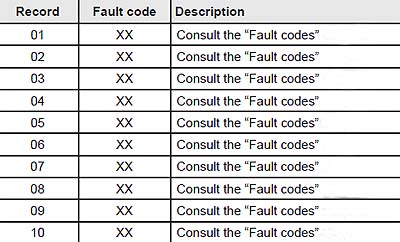
The screen will display the last fault which occurred "01" (record) and "F.XX" (fault code).
To display the other faults registered by the appliance, press the button + or - under the symbol .
Select last fault code which occurred CLICK HERE.
Press button MODE for more than 3 seconds to exit this menu.
To erase the fault memory registered by the appliance,
consult the Installation adjustments, manufacturers instructions and use code d.94.
Enter fault code memory and identify the last fault code which occurred causing the reset situation.
In order to display the fault code memory, simultaneously press the buttons + and - under the symbol for more than 3 seconds.
The screen will display the last fault which occurred "01" (record) and "F.XX" (fault code).
To display the other faults registered by the appliance, press the button + or - under the symbol .
Select last fault code which occurred CLICK HERE.
Press button MODE for more than 3 seconds to exit this menu.
To erase the fault memory registered by the appliance,
consult the Installation adjustments, manufacturers instructions and use code d.94.