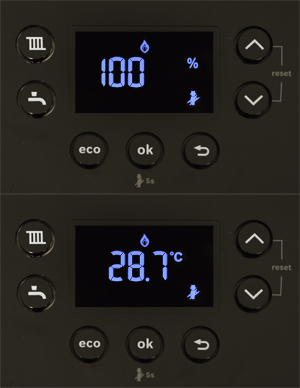
Set the boiler into service mode (chimney sweep mode) by holding down the ok button for approximately 5 seconds or until the chimney sweep symbol appears in the display.
The display will show the % output alternating with the appliance temperature.
The chimney sweep mode will start at 100% (maximum).
When a flame symbol appears the burner is lit.
It can take up to 30 seconds for the burner to light and a further 30 seconds for the appliance to reach full output (signified by the increased fan speed).
To switch between maximum and minimum rate use the up and down arrows.
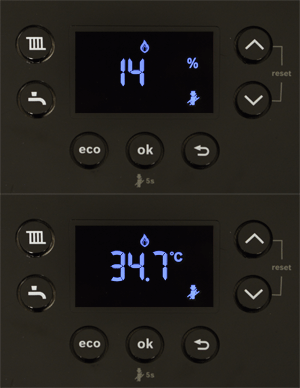
The display will show a much lower percentage (14% in this example) alternating with the appliance temperature when set to minimum.
To exit the mode press the back button.
Note:
1. The service mode will end after 15 minutes automatically or if the boilers temperature becomes excessive.
2. The minimum output % will depend on the appliance version you are working on but will always be significantly lower than maximum usually <20%.
The display will show the % output alternating with the appliance temperature.
The chimney sweep mode will start at 100% (maximum).
When a flame symbol appears the burner is lit.
It can take up to 30 seconds for the burner to light and a further 30 seconds for the appliance to reach full output (signified by the increased fan speed).
To switch between maximum and minimum rate use the up and down arrows.
The display will show a much lower percentage (14% in this example) alternating with the appliance temperature when set to minimum.
To exit the mode press the back button.
Note:
1. The service mode will end after 15 minutes automatically or if the boilers temperature becomes excessive.
2. The minimum output % will depend on the appliance version you are working on but will always be significantly lower than maximum usually <20%.