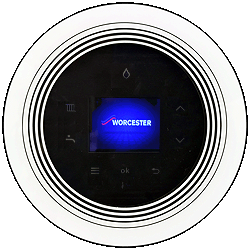
Set Appliance State:
| WARNING! - Mains voltage is expected during test follow TOPs P4 live testing procedure |
Observation:
Enter the service/installer menu - press and hold the tap and radiator symbols simultaneously for 3 seconds.
Select "settings" > "heating" > "max heat output"
The value shown is the % of maximum heating output from the appliance.
Refer to the "limiting nominal heat output" section of the manufacturers instructions in ADAPT to check the value set is adequate/correct for the system the appliance is installed on.
Is the central heating output set correctly for the demand of the system?
Select "settings" > "heating" > "max heat output"
The value shown is the % of maximum heating output from the appliance.
Refer to the "limiting nominal heat output" section of the manufacturers instructions in ADAPT to check the value set is adequate/correct for the system the appliance is installed on.
Is the central heating output set correctly for the demand of the system?