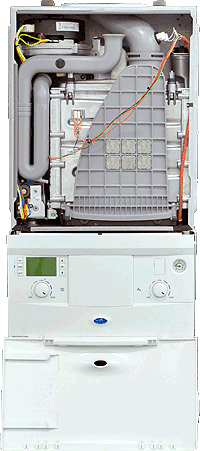
Set Appliance State:
CH Demand
CH temperature control knob set to MAX
| WARNING! - Mains voltage is expected during test follow TOPs P4 live testing procedure |
Observation:
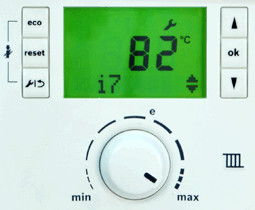
Press the spanner button and then the up arrow until i7 is displayed.
By default 82°C should be displayed on the screen.
If adjustment is required it can be changed in menu 3 option 3.2B.
Before adjustment ensure it has not been intentionally changed
(e.g. for connection to underfloor heating).
Click here for more information on setting boiler parameters.
Note:
Appliance will not display temperature setting during its self check.
By default 82°C should be displayed on the screen.
If adjustment is required it can be changed in menu 3 option 3.2B.
Before adjustment ensure it has not been intentionally changed
(e.g. for connection to underfloor heating).
Click here for more information on setting boiler parameters.
Note:
Appliance will not display temperature setting during its self check.