Isolate Mains Power to appliance as per TOPs P4
Removal of the top cover
Open controls cover and remove screw on right-hand side. Pull the control panel forward from the right-hand side and unhook the left-hand side.
Remove screws at either side of the front of the top cover, slide cover forward and lift off.
Place the top cover safely away from the work area.
To access the PCB module remove the screw securing the PCB top cover located at the front right corner of the PCB, then lift the cover upwards and back.
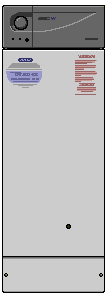
Removal of boiler front cover
Remove lower front cover by removing the two screws located at either side of the this panel.
Remove the two screws at either side of the bottom of the front cover. Pull the front cover forward from the bottom and unhook from the top.
Place front cover safely away from the work area.
Removal of the top cover
Open controls cover and remove screw on right-hand side. Pull the control panel forward from the right-hand side and unhook the left-hand side.
Remove screws at either side of the front of the top cover, slide cover forward and lift off.
Place the top cover safely away from the work area.
To access the PCB module remove the screw securing the PCB top cover located at the front right corner of the PCB, then lift the cover upwards and back.
Removal of boiler front cover
Remove lower front cover by removing the two screws located at either side of the this panel.
Remove the two screws at either side of the bottom of the front cover. Pull the front cover forward from the bottom and unhook from the top.
Place front cover safely away from the work area.
Isolate as per TOPs P4
and refit as necessary