Set Appliance State:
| WARNING! - Mains voltage is expected during test follow TOPs P4 live testing procedure |
Observation:
SE flashing should not affect operation of the boiler, it
is the display PCB indicating that the service is due but
this option is not for this boiler and should not be used.
To disable the SE code access the level 2
diagnostics by following the instructions below:
Press and hold the MODE and + buttons for 5 seconds.
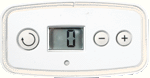
The display will change to a flashing 0.
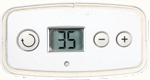
Use the + button to scroll to 35 (This is the level 2 password).
Press and hold MODE for 5 seconds to confirm.
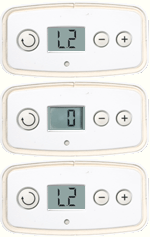
The display now shows a flashing L2 and the current diagnostic point 0 .
Use the + and - buttons to view the appropriate diagnostic number.
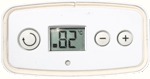
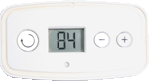
In this instance it is 84. Press MODE again, display will show the current value of d.84.
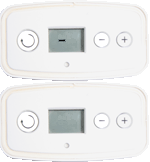
Press the + and - buttons until the display flashes a dash ( - ).
Hold the mode button until the display changes to save the adjustment.
Reset the appliance then select
from the options to the right.
is the display PCB indicating that the service is due but
this option is not for this boiler and should not be used.
To disable the SE code access the level 2
diagnostics by following the instructions below:
Press and hold the MODE and + buttons for 5 seconds.
The display will change to a flashing 0.
Use the + button to scroll to 35 (This is the level 2 password).
Press and hold MODE for 5 seconds to confirm.
The display now shows a flashing L2 and the current diagnostic point 0 .
Use the + and - buttons to view the appropriate diagnostic number.
In this instance it is 84. Press MODE again, display will show the current value of d.84.
Press the + and - buttons until the display flashes a dash ( - ).
Hold the mode button until the display changes to save the adjustment.
Reset the appliance then select
from the options to the right.