CALLING UP THE INSTALLER LEVEL AND DIAGNOSTIC CODE GUIDANCE
None
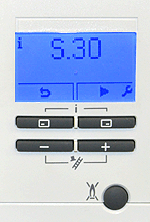
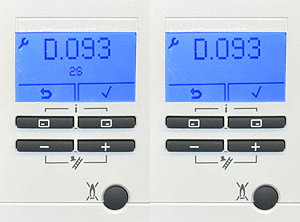


1. Press the top 2 buttons simultaneously then release, the current status code for the appliance will be shown.
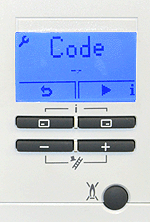
2. Press ►
(top right button) once to access the installer level, code -- will appear in the display.
(top right button) once to access the installer level, code -- will appear in the display.
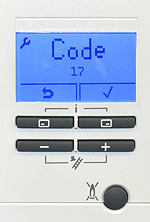
3. Set the value to 17 by using the + or - buttons then press the top right button to confirm.
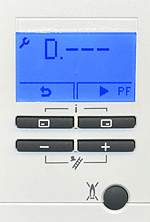
4. D--- will now be displayed, you can now navigate to whichever Diagnostic code you require by using the + or - buttons
6. Once the desired value is set press ✓ (top right button) once to confirm the setting, Diagnostic code will again flash or appliance may restart if resetting the DSN.
Press the top left button repeatedly (return arrow) to return the display to standby mode.
Press the top left button repeatedly (return arrow) to return the display to standby mode.
5. Press ✓ (top right button) once, the value set will then flash, once it flashes use the + and - buttons to amend the value as desired.
Note:
If the display is not illuminated, press any button to wake the display, once it is illuminated you can then follow the above process to call up the installer level. Refer to Adapt for further guidance on diagnostic codes.
If the display is not illuminated, press any button to wake the display, once it is illuminated you can then follow the above process to call up the installer level. Refer to Adapt for further guidance on diagnostic codes.