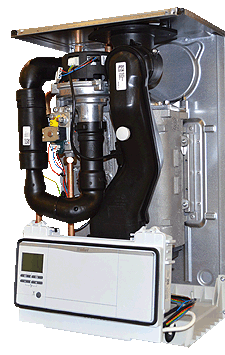
Set Appliance State:
CH Demand
| WARNING! - Mains voltage is expected during test follow TOPs P4 live testing procedure |
Observation:
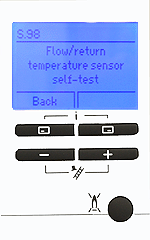
Enter the status code display mode;
1. Press the top 2 buttons simultaneously then release.
2. Select Live monitor from the menu.
The status code will then appear on the display.
Status codes S07, S46, S53, S54, S96 or S98 indicate an issue with the temperature spread measured by the thermistors.
Is one of the status codes listed above shown?
Note:
To exit status code mode press the back button once.
1. Press the top 2 buttons simultaneously then release.
2. Select Live monitor from the menu.
The status code will then appear on the display.
Status codes S07, S46, S53, S54, S96 or S98 indicate an issue with the temperature spread measured by the thermistors.
Is one of the status codes listed above shown?
Note:
To exit status code mode press the back button once.