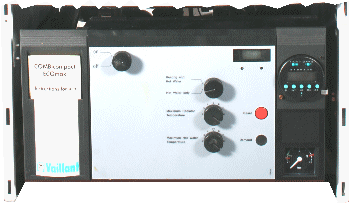
Set Appliance State:
Mains Power Off
CH Demand
Main On/Off Control in the On position
CH Temperature Control to Maximum
CH Temperature Control to Maximum
| WARNING! - Mains voltage is expected during test follow TOPs P4 live testing procedure |
Observation:
If a fault code is displayed press boiler 'Reset' button.
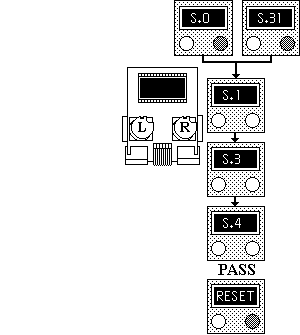
Select Status Mode on Multifunction Display by pressing right button once.
Introduce the CH demand and monitor boiler status on display. The correct sequence of events with explanation is shown below.
"S0" or "S31" (no demand)
"S1" (fan proving)
"S3" (ignition)
"S4" (burner operation)
If sequence is correct - Reset display.
If sequence is incorrect note display.
Select Status Mode on Multifunction Display by pressing right button once.
Introduce the CH demand and monitor boiler status on display. The correct sequence of events with explanation is shown below.
"S0" or "S31" (no demand)
"S1" (fan proving)
"S3" (ignition)
"S4" (burner operation)
If sequence is correct - Reset display.
If sequence is incorrect note display.