Set Appliance State:
Mains Power Off
DHW Demand
| WARNING! - Mains voltage is expected during test follow TOPs P4 live testing procedure |
Observation:
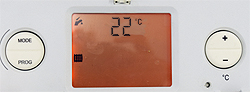
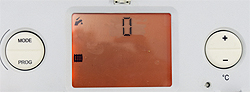
Access the diagnostic display by holding the mode button until the display changes (approx. 5 seconds).
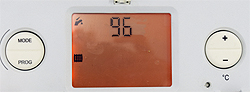
Use the +/- buttons to scroll to 96, then press the mode button to confirm.
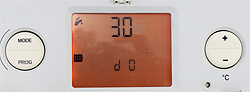
The screen will show d 0 at the bottom and the value it is currently set to.
This indicates that you have level 1 access, the number being the diagnostic number.
(You can use this link to see all of the diagnostic code numbers if required)
In this instance we are interested in d0 so it is not necessary to scroll any further.
The number above d0 indicates the maximum kW output the boiler will operate.
It can be set anywhere from 10 to 30kW.
Is the heat output setting appropriate for the system it is fitted to?
Use the +/- buttons to scroll to 96, then press the mode button to confirm.
The screen will show d 0 at the bottom and the value it is currently set to.
This indicates that you have level 1 access, the number being the diagnostic number.
(You can use this link to see all of the diagnostic code numbers if required)
In this instance we are interested in d0 so it is not necessary to scroll any further.
The number above d0 indicates the maximum kW output the boiler will operate.
It can be set anywhere from 10 to 30kW.
Is the heat output setting appropriate for the system it is fitted to?