Set Appliance State:
Mains Power Off
DHW Demand
| WARNING! - Mains voltage is expected during test follow TOPs P4 live testing procedure |
Observation:
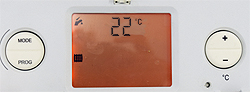
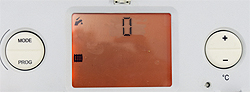
Access the diagnostic display by holding the mode button until the display changes (approx. 5 seconds).
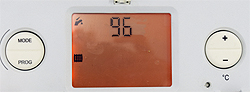
Use the +/- buttons to scroll to 96, then press the mode button to confirm.
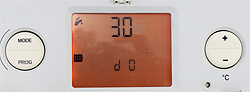
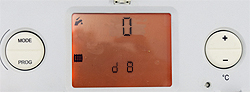
The screen will show d 0 at the bottom and the value it is currently set to.
This indicates that you have level 1 access, the number being the diagnostic number.
Use +/- to scroll to the desired number then press the mode button display the value.
(You can use this link to see all of the diagnostic code numbers if required)
In this instance d8, this will display the demand status.
1 = DEMAND RECOGNISED
0 = NO DEMAND
Use the +/- buttons to scroll to 96, then press the mode button to confirm.
The screen will show d 0 at the bottom and the value it is currently set to.
This indicates that you have level 1 access, the number being the diagnostic number.
Use +/- to scroll to the desired number then press the mode button display the value.
(You can use this link to see all of the diagnostic code numbers if required)
In this instance d8, this will display the demand status.
1 = DEMAND RECOGNISED
0 = NO DEMAND